Blog
15/04/2019

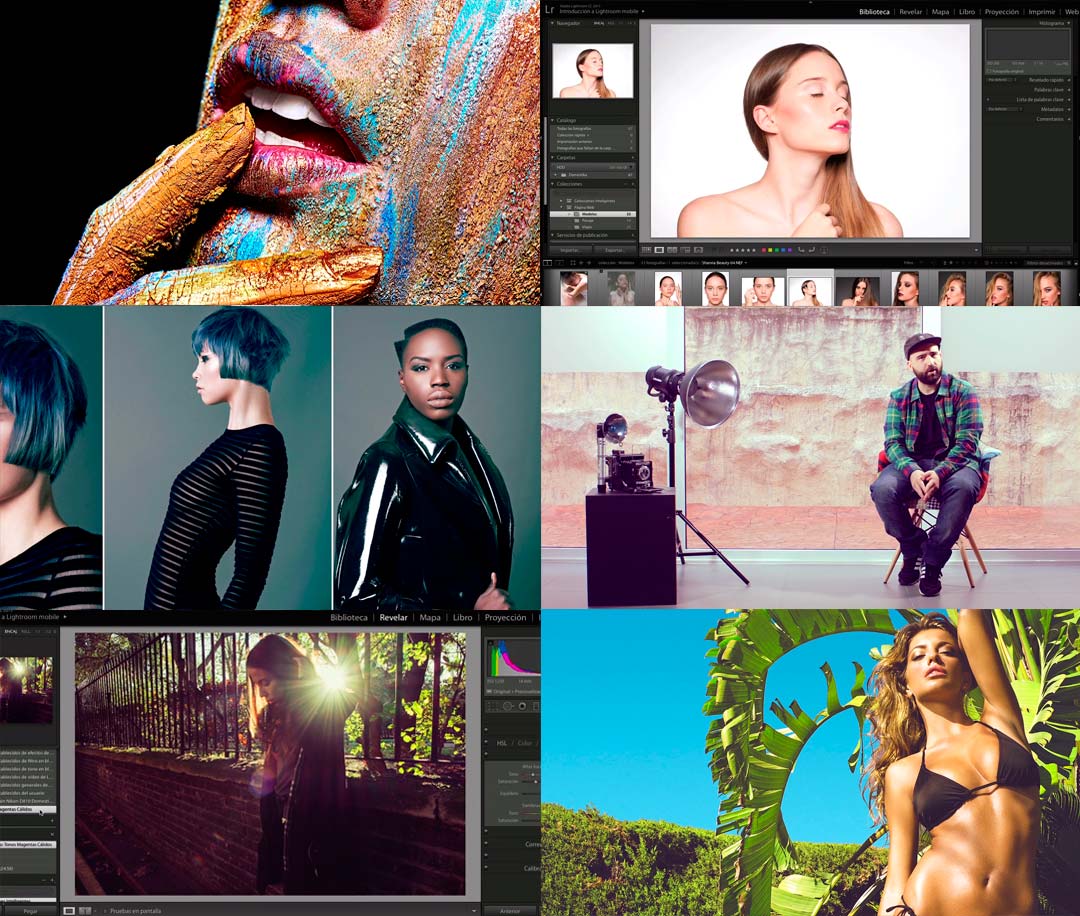
RAW File Processing with Lightroom

RAW digital photography gives you the flexibility to fine-tune your images and make precise corrections, allowing you to get the most out of every shot.

Often, we shoot a large number of photos, and our first challenge is managing that volume efficiently.

Lightroom is a software designed to process the RAW files from your digital camera—the native files that haven’t been altered by the camera, and therefore contain the most information.

In the RAW File Processing with Lightroom course, you’ll gain the skills you need to work with your images quickly and effectively.

RAW File Processing with Lightroom


This course will teach you how to process your photos and create presets to speed up your workflow when handling large batches of images—all at once.

Pretty cool, right?

What will I learn in the RAW File Processing with Lightroom course?

You’ll learn how to process your photos efficiently and create presets that help you handle large volumes of images simultaneously.

You’ll also discover how to correct and synchronize adjustments across batches of photos, so your workflow stays fast and consistent.

This course takes you from the basics to everything you need to know to use Lightroom like a professional batch photo editor.

How will I learn?

In the RAW File Processing with Lightroom course, you’ll start from scratch and learn how to use Lightroom step by step.

First, you’ll get familiar with the Lightroom interface and take a tour through its settings, libraries—viewing, filtering, tagging, renaming, moving, collections, metadata, keywords, face detection—file management, and catalogs.

Once you’re comfortable navigating Lightroom, we’ll show you how to use its core features:

  • Camera calibration
  • Editing tools
  • Curves
  • Black and white processing
  • Presets
  • Batch processing

Finally, you’ll learn how to export your finished images from Lightroom for print, web, or projection.

All with professional-quality results.

What do I need to take the course?

No prior experience with Lightroom is required—this course is designed for beginners.

You’ll need a camera, a computer, and both Photoshop and Lightroom installed. If you don’t have the software yet, you can download trial versions.
montaje-curso-de-la-semana

Who is the instructor?

Your instructor is Edu Gómez, a beauty and commercial photographer.

Edu specializes in Photoshop and digital retouching, and is also the founder of Hangover Magazine.

Who is this course for?

The RAW File Processing with Lightroom course is ideal for photography enthusiasts and creatives in general, but is especially useful for:

  • Graphic designers
  • Photographers
  • Creatives


If you’re looking to boost your résumé, don’t miss this Lightroom processing course.

About Domestika

Domestika courses can be paid for with any Visa, MasterCard, or American Express credit or debit card.

You can also pay using your PayPal account.

 

Did you like it?
Related articles
Ready to start
your project?

We assess your current situation and outline the next steps.

Contact now
Our site uses cookies to collect information about your device and browsing activity. We use this data to improve the site, ensure security and deliver personalized content. You can manage your cookie preferences by clicking here.
Accept cookies Configure Decline cookies
Basic cookie information
This website uses cookies and/or similar technologies that store and retrieve information when you browse. In general, these technologies can serve very different purposes, such as, for example, recognizing you as a user, obtaining information about your browsing habits or personalizing the way in which the content is displayed. The specific uses we make of these technologies are described below. By default, all cookies are disabled, except for technical ones, which are necessary for the website to function. If you wish to obtain more information or exercise your data protection rights, you can consult our Política de cookies".
Accept cookies Configure
Technical cookies needed Always active
Technical cookies are strictly necessary for our website to work and for you to navigate through it. These types of cookies are those that, for example, allow us to identify you, give you access to certain restricted parts of the page if necessary, or remember different options or services already selected by you, such as your privacy preferences. Therefore, they are activated by default, your authorization is not necessary.rnThrough the configuration of your browser, you can block or alert the presence of this type of cookies, although such blocking will affect the proper functioning of the different functionalities of our website.
Cookies de análisis
Las cookies de análisis son las utilizadas para llevar a cabo el análisis anónimo del comportamiento de los usuarios de la web y que permiten medir la actividad del usuario y elaborar perfiles de navegación con el fin objetivo de mejorar los sitios web.
Confirm preferences
contact us
Form

Tell us
your project

Indicate the general context of your organization and the planned scope of the project.
Code Barcelona, ​​as responsible for the processing of your data, will process it in order to respond to the query and/or request that you make to us through this contact form. Privacy Policy.
Title
Popupcontent
Analysis of your digital situation

We will review your current digital situation. We will get in touch to understand your context and jointly assess which areas to analyze, after which we will prepare an audit including key findings and recommendations.

Code Barcelona, ​​as responsible for the processing of your data, will process it in order to respond to the query and/or request that you make to us through this contact form. Privacy Policy.
Aceptar