In our graphic design training program, you’ll gain in-depth knowledge of how Canva works while putting your skills into practice by designing your own style guide and a complete website.
In this online course, Claudia Cánovas—founder of the design agency Aplum Studio—will guide you through using Canva to create professional-quality visual content, including portfolios, presentations, posters, videos, social media posts, and even website layouts.
Through a series of modules, you’ll learn everything you need to master Canva from scratch and discover how design can help you tell a story and connect with your ideal audience. We’ll show you how to elevate your visual identity in a simple yet high-quality way. Don’t miss the chance to boost your graphic design skills with our online course!
Canva from Zero to Hero
What will you create in the “Canva from Zero to Hero” course?
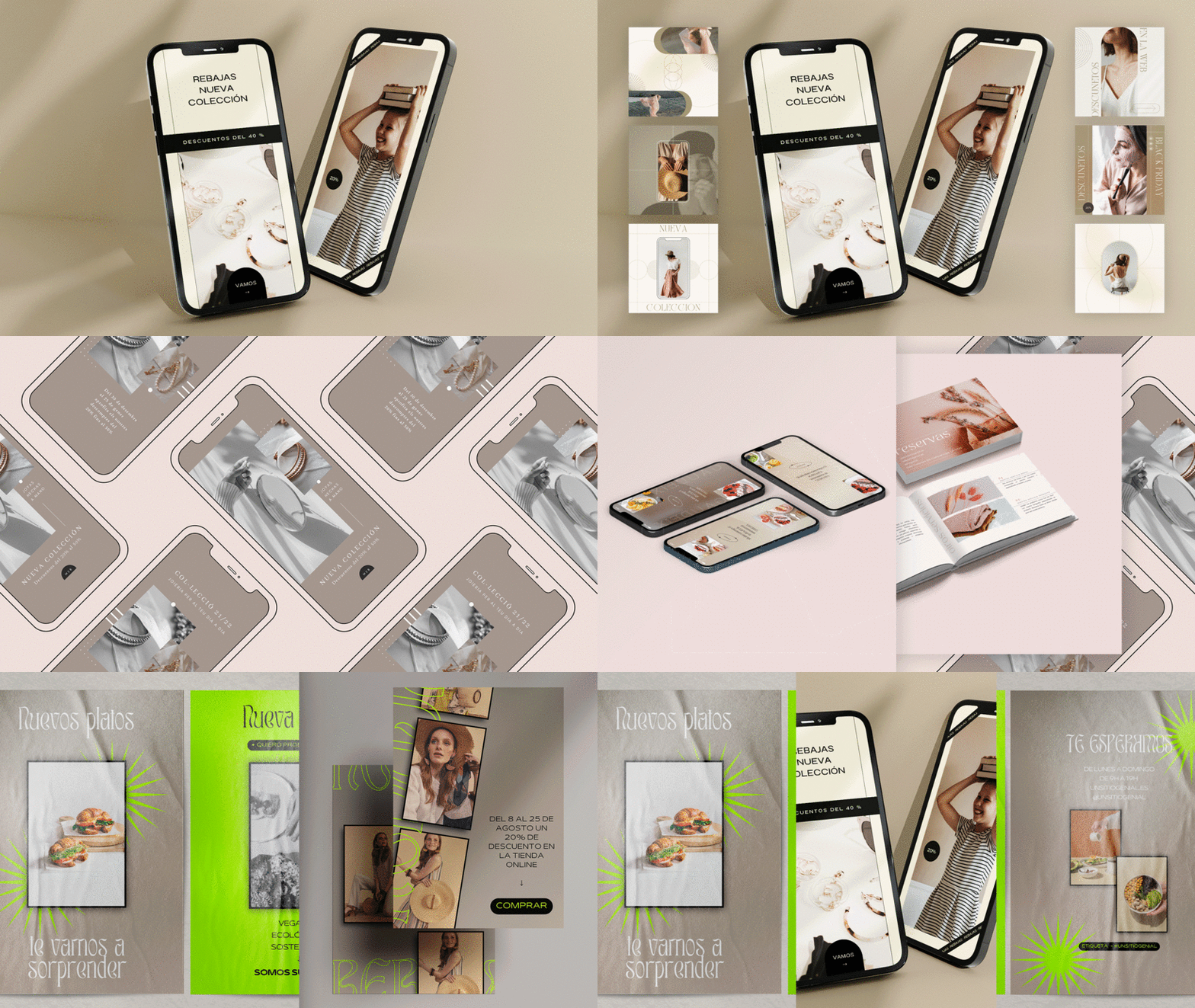
You’ll develop a style guide and publish a website you’ve designed yourself.
Claudia Cánovas will start by sharing her professional journey and the sources of inspiration that influence her daily work at Aplum Studio. She’ll also introduce you to the social media accounts she follows for inspiration and discuss her creative influences.
Next, you’ll get to know Canva’s home screen and basic tools. You’ll learn how to personalize and organize your workspace to streamline your creative process and use the platform’s features to design your documents.
The third module focuses on creating your style guide. You’ll discover how to use graphic resources, transfer assets from Illustrator to Canva, customize fonts, and work with photos and videos.
Then, you’ll move on to designing your website. You’ll look for references, plan your content layout, and, with Claudia’s guidance, develop and publish your site online.
In the final module, you’ll explore some of Canva’s most powerful advanced tools. You’ll learn how to create your own mockups, share documents with clients or team members, and make the most of Canva’s video editing features to produce Instagram reels.

What are the requirements for the “Canva from Zero to Hero” course?
No previous experience is required—just a computer with internet access to use Canva. While you can complete the course with Canva’s free version, we recommend Canva Pro to get the most out of the exercises.
What’s included in the “Canva from Zero to Hero” course?
U1: Introduction
- Welcome
- Inspiration and trends
U2: Getting started with Canva
- Introduction to Canva
- Customizing your workspace
- Creating documents
U3: Using Canva’s tools
- Designing a style guide: key tools
- Working with graphic resources and images
- Choosing and customizing fonts
- Photos and video
U4: Creating and publishing a website
- Gathering ideas and inspiration
- How to build a website
- Website design and publishing, part 1
- Website design and publishing, part 2
U5: Canva tips and advanced tools
- Three ways to create mockups
- How to share documents and collaborate
- Video editing in Canva
Final project
- Canva from Zero to Hero: Create professional designs
Who teaches the “Canva from Zero to Hero” course?
Designer, social media manager, and educator Claudia Cánovas founded Aplum Studio after years of training and specializing in branding and communication. At her studio, she creates visual content for all digital channels, helping brands communicate more effectively and maintain visual consistency. Her team has worked with companies worldwide on branding, design, web development, social media management, and photography projects.
Claudia has been passionate about Canva since 2017 and has been part of the Canva Creators Spain community since 2021. She’s been creating graphic content and illustrations for Canva for over five years and has published more than 300 free designs on her Canva profile: canva.com/p/aplumstudio/.
Through her Domestika course, students can learn how to use Canva’s tools from scratch and discover Claudia’s tips and shortcuts to get the most out of the platform. During the course, you’ll develop a style guide and a website you can publish directly in Canva. Claudia also shares Canva tips and her creative projects on Instagram: @aplumstudio.
Key facts about the “Canva from Zero to Hero” course
Here are the most important details about the course:
94% positive reviews (103)
5,685 students
16 lessons (2h 7m)
23 additional resources (10 files)
Online and self-paced
Available on the app
Audio: Spanish
Subtitles: Spanish, English, Portuguese, German, French, Italian, Polish, Dutch
Level: Beginner
Lifetime unlimited access
[superfeatured]7337[/superfeatured]