If you’re looking to boost your technical skills, the Introduction to Adobe InDesign course is a must-have you won’t want to miss.
This week’s course is part of Domestika Basics—a series designed to help you master the most popular software for creating and editing your editorial projects with Adobe InDesign.
Introduction to Adobe InDesign
Want to learn even more?
What will I learn in the Introduction to Adobe InDesign course?
You’ll learn to use Adobe InDesign from scratch and master the leading software for both print and digital editorial design.
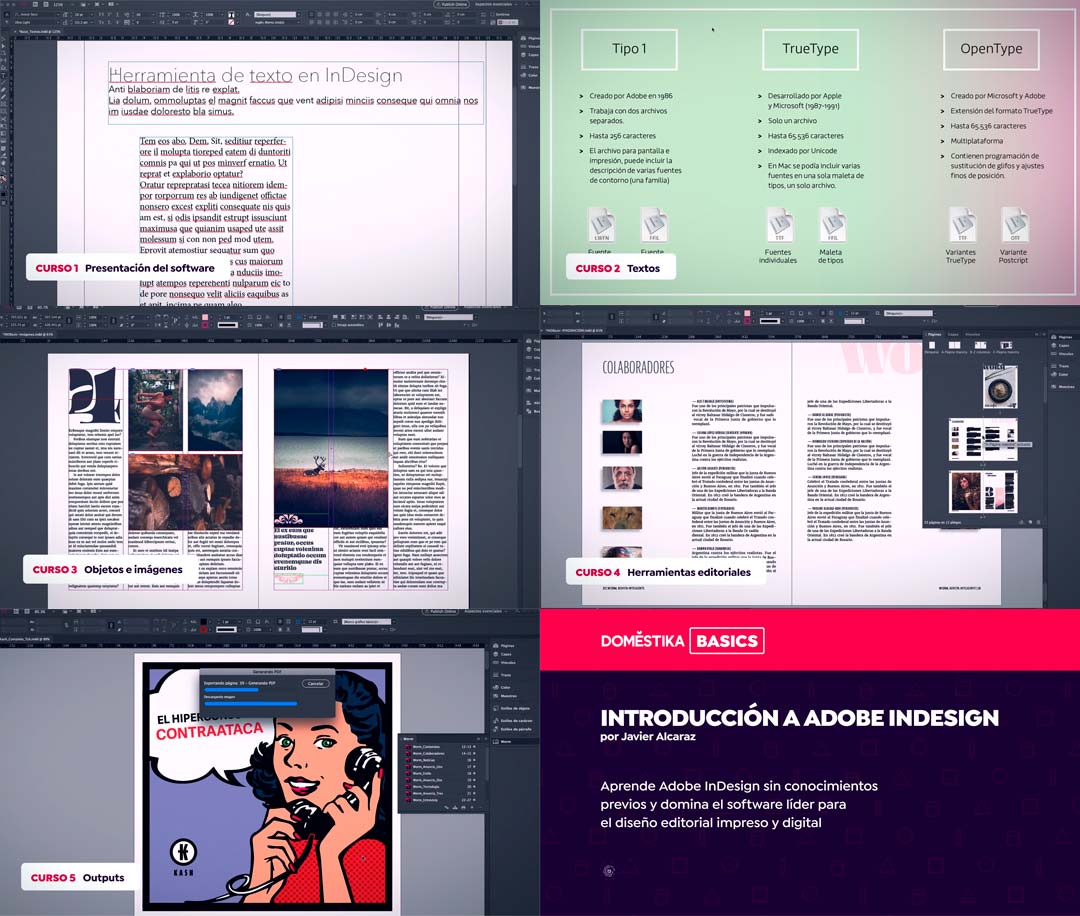
The Introduction to Adobe InDesign course is divided into 5 sections. With over 12 hours of video content and 32 additional resources, you’ll finish the course with a solid command of Adobe InDesign.
How will I learn?
Course 1: Getting Started with Adobe InDesign
In the first part of the Introduction to Adobe InDesign course, you’ll get acquainted with both the course and Adobe InDesign itself.
You’ll learn how to navigate Adobe InDesign, explore the interface, and use the most common commands.
Course 2: Working with Text and Tables
Next, you’ll discover how to choose fonts, edit text, and create tables.
You’ll also learn to apply both custom and preset styles to your text and tables.
Course 3: Objects and Images
Now it’s time to add images and objects to your editorial project. You’ll learn how to insert and edit images, create objects, and arrange everything seamlessly.
Course 4: Editorial Tools
In the fourth section, you’ll explore the key tools that ensure an efficient and dynamic workflow in Adobe InDesign.
Course 5: Exporting Your Work
Finally, you’ll learn how to prepare your projects for print or digital publication.
What do I need to take the course?
All you need is a personal computer and a trial or full version of Adobe InDesign. That, plus your motivation to learn, is more than enough.
Is this course right for me?
The Introduction to Adobe InDesign course is part of the Domestika Basics series, which means it’s designed for everyone—especially if you have no prior experience with the program.
It’s especially recommended for:
- Graphic designers
- Content editors
- Creatives
- Advertisers
Who is the instructor?
Your guide throughout the course is Javier Alcaraz, an editorial and type designer with a background in type design and art direction for editorial projects.
Alongside his extensive creative experience, he has also taught editorial and type design at undergraduate, diploma, and master’s levels in Mexico, Argentina, and Ecuador.
You’re sure to learn a lot from him.

Sign up now!
About Domestika
Domestika Basics courses are designed so anyone can take them and learn how professional software works from the ground up.